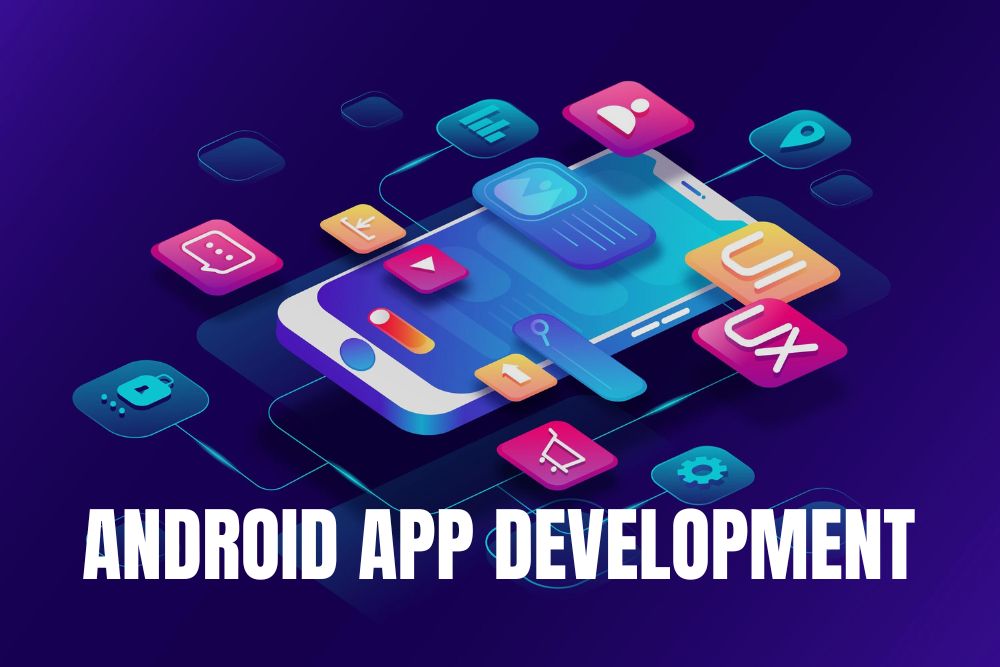
Android App Development

Android App Development focuses on creating mobile applications for Android devices using Java, Kotlin, and Android Studio. It involves designing user-friendly interfaces, implementing functionality, and optimizing performance for smartphones and tablets.

This course provides a comprehensive understanding of Android architecture, UI/UX design, APIs, and app deployment. Learners will gain hands-on experience building real-world mobile apps, integrating databases, and using modern Android libraries and tools.
Certified Programs
Lifetime Access
Expert Instructors
ElyteSpark Android App Development Course

Explore Our Course Modules

Overview of Android OS and its architecture. Introduction to Android Studio IDE. Setting up development environment: SDK, AVD.

Activities: lifecycle, UI layouts, intents. Fragments: fragment lifecycle, fragment transactions. Views and ViewGroups: widgets, event handling.

UI design principles and guidelines. Using XML for layout design: LinearLayout, RelativeLayout, ConstraintLayout. Material Design components and guidelines.

Shared Preferences: storing simple data. SQLite Database: creating, querying, and updating databases. Content Providers: sharing data between apps.

Making network requests with Retrofit or Volley. Handling JSON data with Gson or Moshi. Asynchronous programming with AsyncTask and Kotlin coroutines.

Working with RecyclerView and CardView. Handling images and media: Picasso, Glide. Location-based services and Google Maps integration.

Background tasks and services: IntentService, JobScheduler. Broadcast Receivers and notifications. Syncing data with SyncAdapter.

Generating signed APKs for distribution. Publishing apps on Google Play Store. Monetization strategies: in-app purchases, ads.

Kotlin advanced concepts (coroutines, flows), MVVM architecture, Dependency Injection (Hilt/Dagger basics), Clean architecture principles, code optimization & best practices.

Android Jetpack libraries, ViewModel, LiveData, Navigation, Jetpack Compose (modern UI development), state management in Android apps, and UI performance optimization.

REST API integration (advanced Retrofit), Authentication (Firebase Auth, JWT basics), Working with Firebase (Firestore, Realtime DB), Push notifications (Firebase Cloud Messaging), and Secure API communication.

App performance optimization techniques, unit testing & UI testing, debugging & crash analysis (Logcat, Firebase Crashlytics), app security best practices, code obfuscation & data protection.

Build a real-world Android app, end-to-end development (UI + backend + APIs), version control (GitHub), testing, debugging & deployment, and industry-style app delivery.

Build portfolio (2–3 apps on Play Store), resume & LinkedIn optimization, mock interviews (Android + coding), problem-solving & DSA basics, career paths: Android Developer, Mobile Engineer.
Key Benefits
What you’ll gain by enrolling in this Android App Development course
Lifetime Access
Expert Android Mentorship
Course Completion Certificate
App Project Certificate
55+ Hours of Live Sessions
Portfolio-Focused Learning
Weekly Assignments & Real Projects
Mobile & Tablet Access

Explore the Android App Development Course Brochure

The Android App Development course equips learners with skills to design and build mobile applications for Android devices. It covers Android Studio, Kotlin, Java, UI/UX, APIs, and real-world project development.

Students will gain hands-on experience by creating apps, integrating APIs, and implementing advanced features. By the end of the course, learners will be confident in developing professional Android applications for careers, freelancing, or entrepreneurial opportunities.

Choose the Right Plan for Your Growth

Self Paced

6999

Learn at Your Own Pace

Basic Plan Includes:
  • Recorded Sessions
  • Hands-on Practical Projects
  • Training Completion Certificate
  • Internship Completion Certificate
  • Doubt Clearing Support
  • Live Interactive Sessions
  • Mentor Guidance
  • Weekly Quizzes & Assignments
  • Placement Assistance
Mentor Led

9999

Learn with Expert Mentor

Basic Plan Includes:
  • Recorded Sessions
  • Hands-on Practical Projects
  • Training Completion Certificate
  • Internship Completion Certificate
  • Doubt Clearing Support
  • Live Interactive Sessions
  • Mentor Guidance
  • Weekly Quizzes & Assignments
  • Placement Assistance
Professional

15999

Advanced Career Support

Basic Plan Includes:
  • Recorded Sessions
  • Hands-on Practical Projects
  • Training Completion Certificate
  • Internship Completion Certificate
  • Doubt Clearing Support
  • Live Interactive Sessions
  • Mentor Guidance
  • Weekly Quizzes & Assignments
  • Placement Assistance
  • ATS Resume Checker
  • Integrated Job Portal
01 STEP
02 STEP
03 STEP
04 STEP
05 STEP
FAQ

Frequently Asked Questions

Everything you need to know before enrolling.

What certificates will I receive?
You receive a Training Completion Certificate and an Internship Completion Certificate on completing the program.
Do I get lifetime access to the course?
Yes. Once you enroll, you get lifetime access to the course content, so you can revisit any module whenever you need a refresher.
Which plan should I choose?
Choose Self Paced if you prefer learning on your own, Mentor Led if you want expert guidance, or Professional for advanced career support. Compare the plans above to see exactly what each one includes.
Can I get a discount on enrollment?
Yes. If a friend refers you through our Refer & Earn program, you get 10% off, applied automatically at checkout. Visit our Refer & Earn page for details.
Who do I contact if I have more questions?
Reach our support team on WhatsApp at +91 76250 50301 or email info@elytespark.in. We are available Monday to Saturday, 9:00 AM – 6:00 PM IST and respond within 24 hours.